Scrolling by VOICE.
You speak and the text moves with you. Promter senses when you're talking and advances the script at your pace, word by word. No speech recognition, no audio leaving your device.
Mirrored on screen so it lands right in your eye
If you use a beam splitter rig, Promter mirrors the text horizontally and vertically, independently, so the reflection lands readable on the glass. And it lets you control everything from the keyboard or a clicker, without breaking the take.
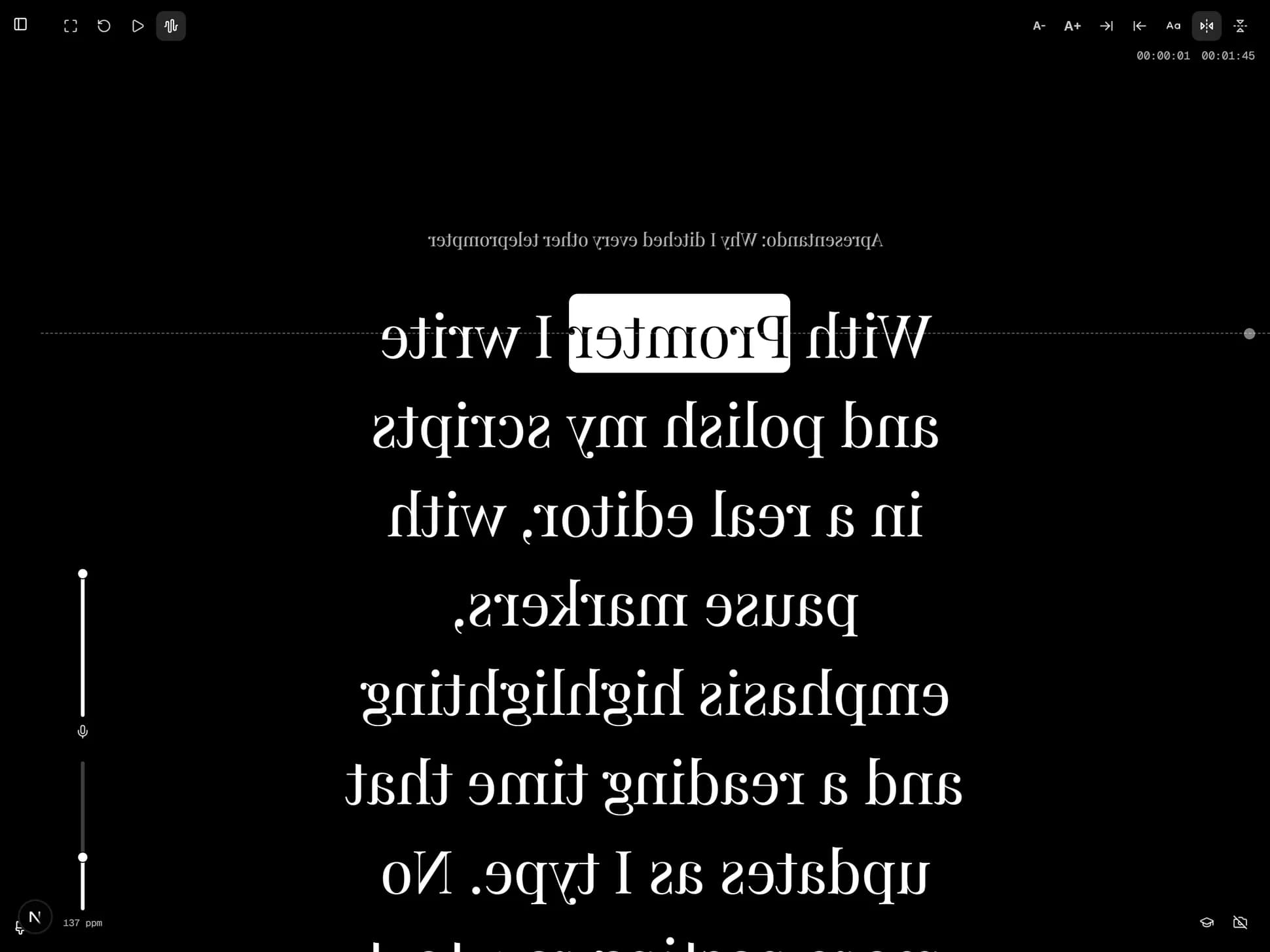
On a rig, you're not reading the phone screen. You're reading its reflection in the angled glass, while the camera looks through that same glass and sees none of it.
Reflections invert. So the text has to leave the screen inverted to arrive correct in your eye. That isn't a preference setting, it's a requirement. A teleprompter without mirroring simply doesn't work on a rig.
Almost every app has horizontal mirroring.
What's usually missing is independent vertical, and it matters because rigs don't share one geometry. Depending on how your equipment positions the device relative to the glass, the axis that needs inverting changes.
In Promter you turn both on separately and combine them however your rig asks. Set it once, it remembers.
Even with the phone within reach, touching it during a recording costs something: you step out of frame, break eye contact or interrupt your sentence.
Which is why everything in Promter has a keyboard shortcut: play, pause, cycle the mic, calibrate, change reading position without pausing, font, width, mirroring, fullscreen, switch camera, record.
And a Bluetooth presentation clicker works right away, no setup. Promter understands PageUp and PageDown natively, which is what practically every clicker sends. You stay in front of the camera, hands free, and the prompter obeys.
A phone dimming mid-sentence is the worst way to lose a take. Promter keeps wake-lock active while you present: as long as you're reading, the screen stays on.
A rig changes the distance between you and the text, and that changes what's comfortable to read.
There are 6 font sizes and 7 text widths, adjustable live from the keyboard or the clicker, plus 4 reading styles: serif, clean, accessible and Roboto. The reading guide line is draggable and stays where you left it, so you can mark the exact height of the lens.
Plenty of rigs use the phone as prompter only, with the recording happening on a DSLR, a mirrorless or a dedicated camera. That works perfectly: you leave Promter's camera off and use just the teleprompter.
And if you want the opposite, recording with the rig's own phone, Promter records up to 4K/60 with the text over the preview.
There's no remote control from another device. The clicker works as a keyboard, not as a companion app running on your second phone.
And Promter doesn't sell, recommend or configure hardware. It runs on the device you already mounted.
You speak and the text moves with you. Promter senses when you're talking and advances the script at your pace, word by word. No speech recognition, no audio leaving your device.
Point one device's camera at the other's screen and the script crosses over. No cable, no cloud, no account, no attachment. Send one script, just your settings, or the entire backup.
Turn off the wi-fi. It keeps working. Your scripts stay on your device, there's no account, and nothing you write ever leaves.
Just like your content, our editor is RICH when it's time to write. Mark the tone, the emphasis and the pause. It all shows up exactly the same when you present, and one click strips it if you'd rather have plain text. Saves itself, always.
Open your camera inside the app. Record video up to 4K at 60 frames per second without looking away from the screen, without stepping out of frame.
And the camera operator, the director and the entire crew.
Which is why: a keyboard shortcut for every function, a Bluetooth clicker that works with zero setup, and a screen that won't go dark mid-read.
Promter runs entirely on your device. No server holding your scripts, no database with your account, no speech recognition API billing by the minute, no AI model billing by the request.
Mac, PC, Android, iOS, Linux. All you need is an up-to-date browser. No app store, no installer, no waiting on a download.
So I put together this FAQ to set your mind at ease.
It does, because what matters is the mirroring, and you combine horizontal and vertical however your equipment needs.
No. A keyboard or Bluetooth clicker handles it, right on the device that's mounted.
You can. Promter's camera is a button you leave switched off.
No. Wake-lock stays active while you present.